Recovery Code
Why do we need your recovery codes?
To ensure the smooth operation of Instagram automation by Lezard Agency, we need secure access to your account. Recovery codes allow us to:
- Maintain uninterrupted connection to your account
- Manage two-factor authentication when needed
- Ensure the continuity of your Instagram automations
💡 Security guaranteed: Your codes are stored encrypted and are only used to maintain access to your account as part of our automation services.
Step 1 : Open the Instagram Menu
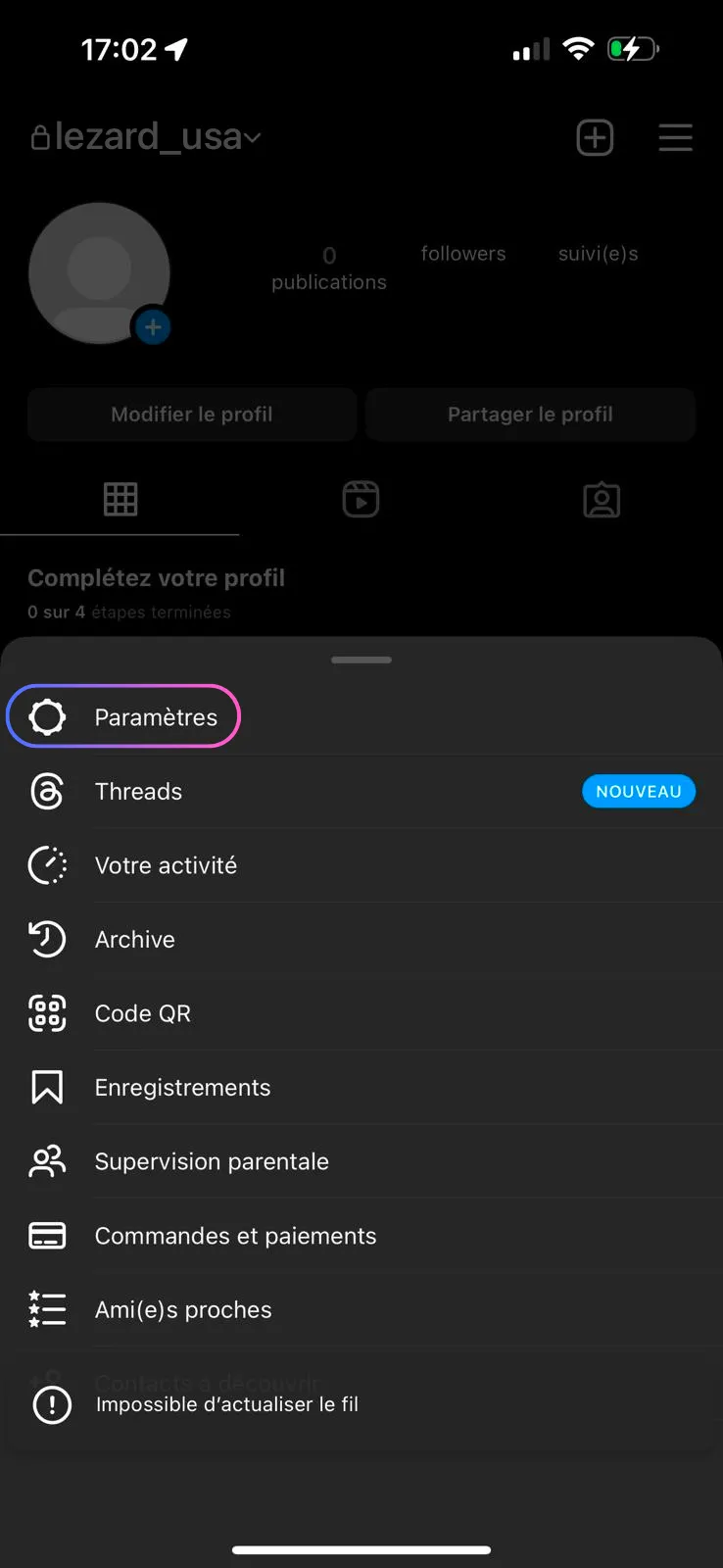
Open the Instagram app and go to your profile. Click the menu icon (☰) in the top right to open the options.
Step 2 : Access the Accounts Center
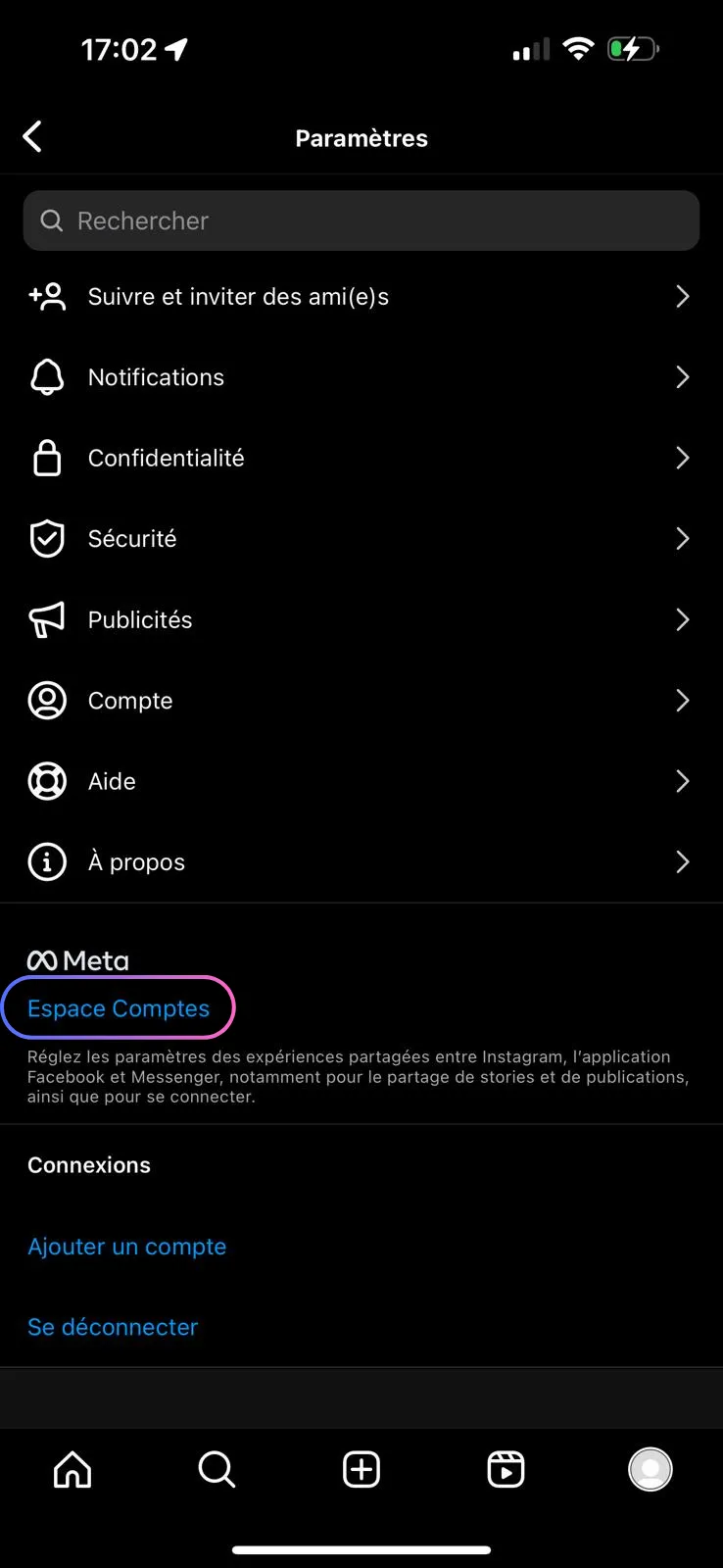
In the "Settings and activity" menu, click on "Accounts Center" (highlighted at the top of the list).
Step 3 : Open Password and Security
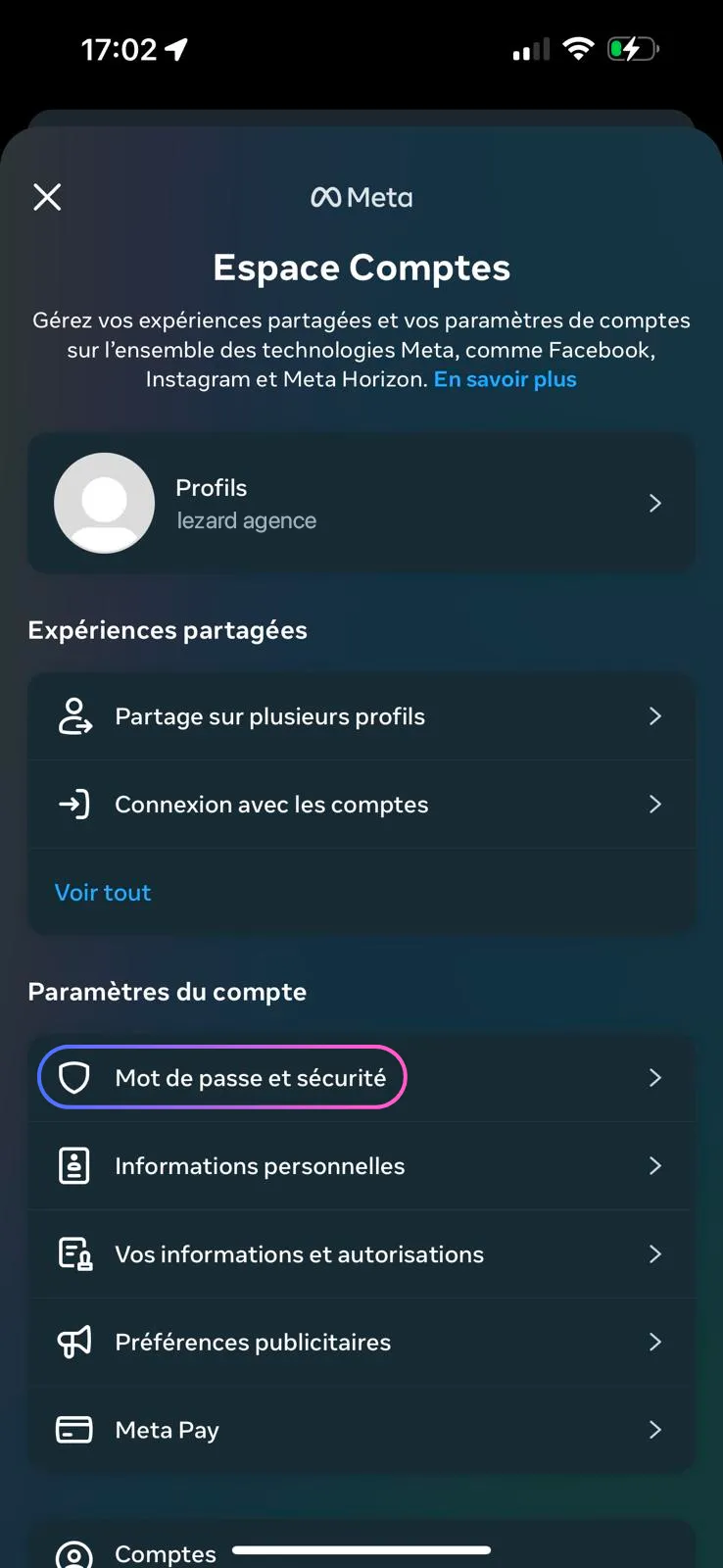
In the Meta Accounts Center, click on "Password and Security" to access security options.
Step 4 : Two-Factor Authentication
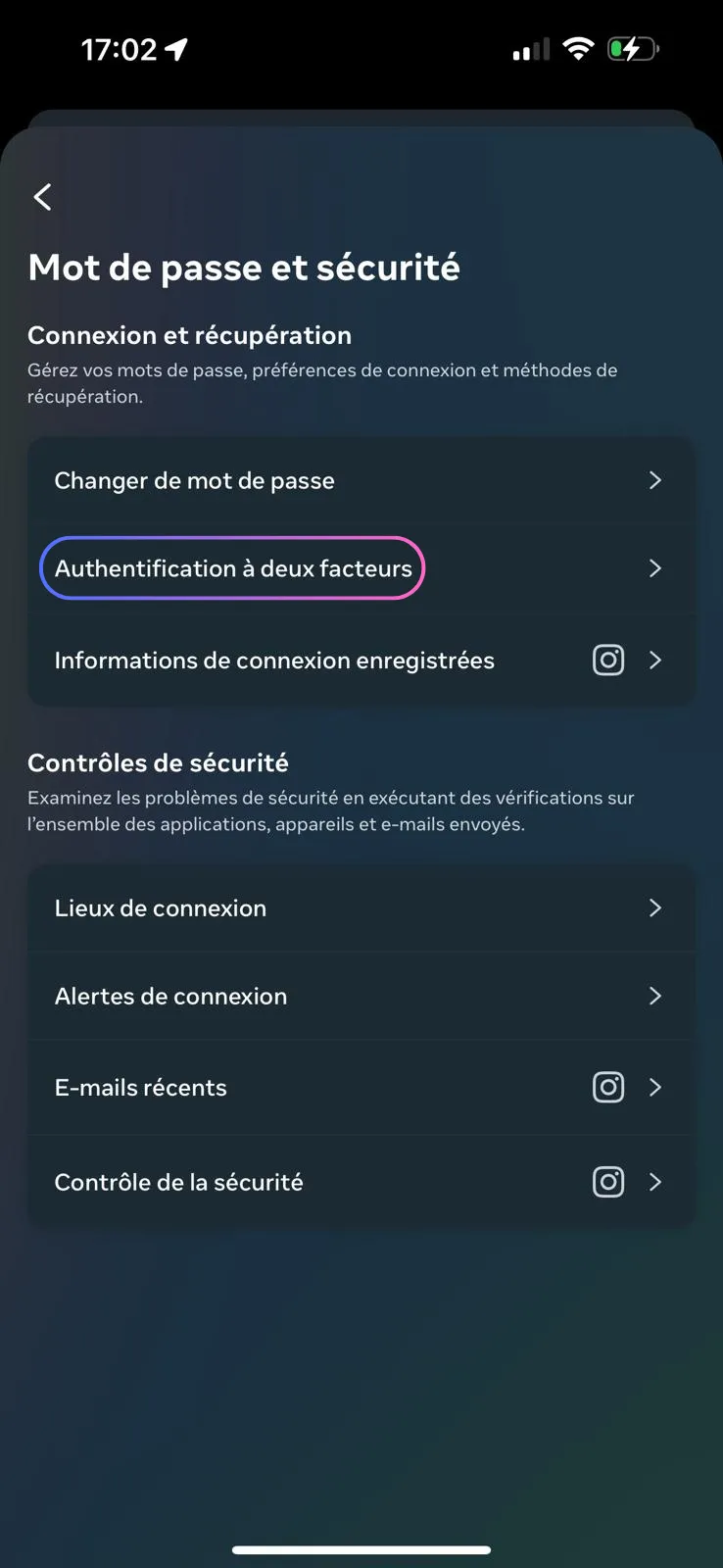
In the "Login & Recovery" section, click on "Two-Factor Authentication".
Step 5 : Select Your Instagram Account
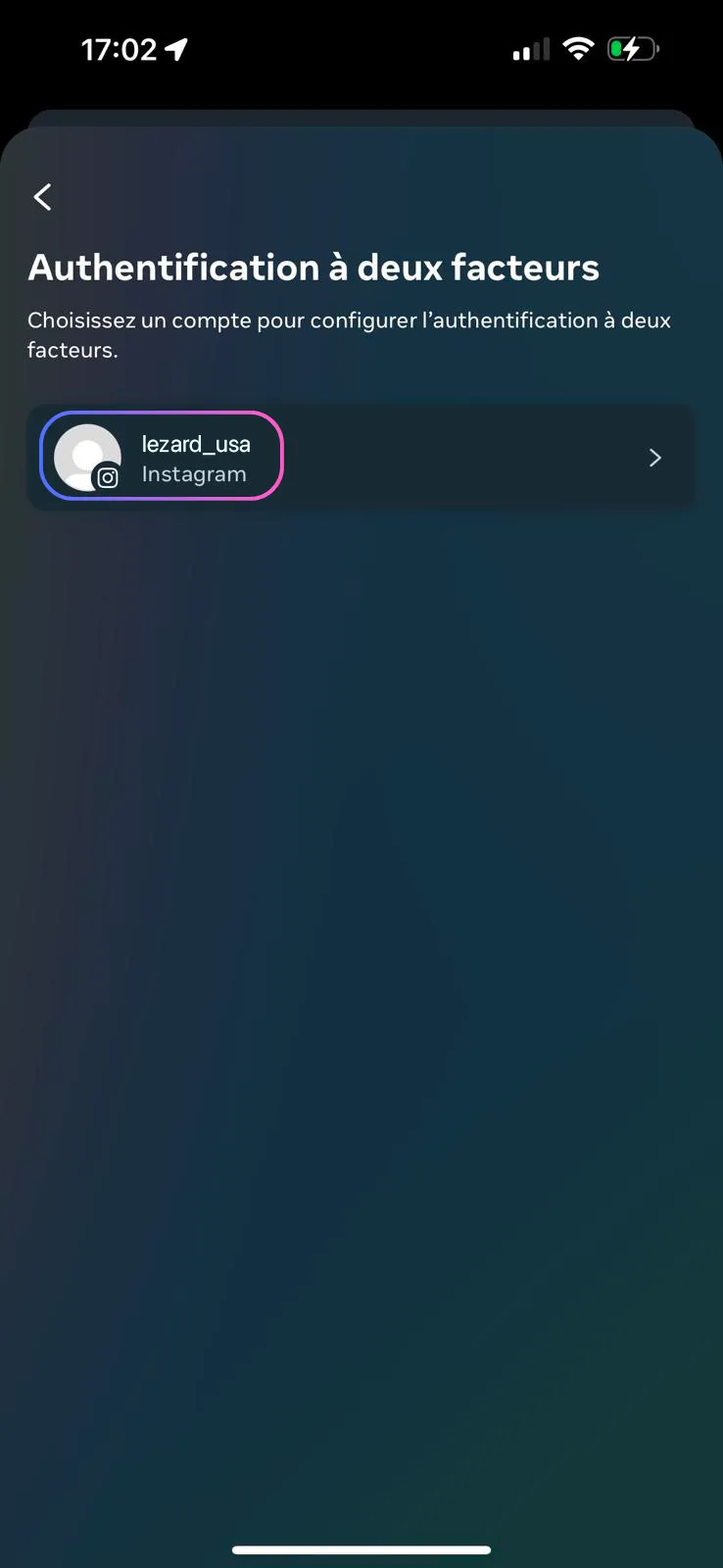
If you have multiple linked Instagram accounts, click on the one you want to automate to set up the recovery codes.
Step 6 : Optional E-mail or SMS Verification
Optional step: Instagram may ask you to enter a code sent by e-mail or SMS to confirm your identity. Enter the code you receive if prompted, otherwise skip directly to the next step.
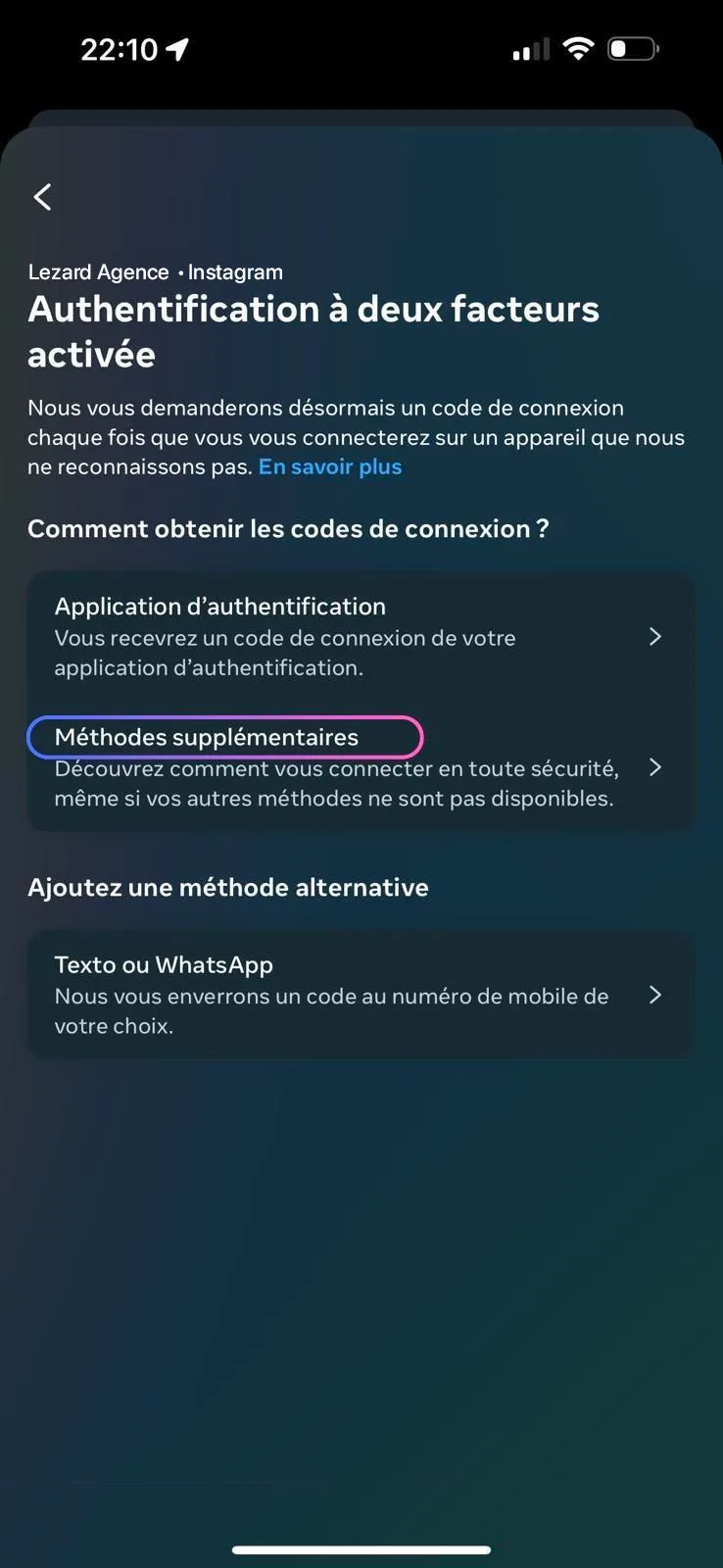
Step 7 : Choose an Additional Method
Select "Additional Method" in the menu to display the different available recovery options.
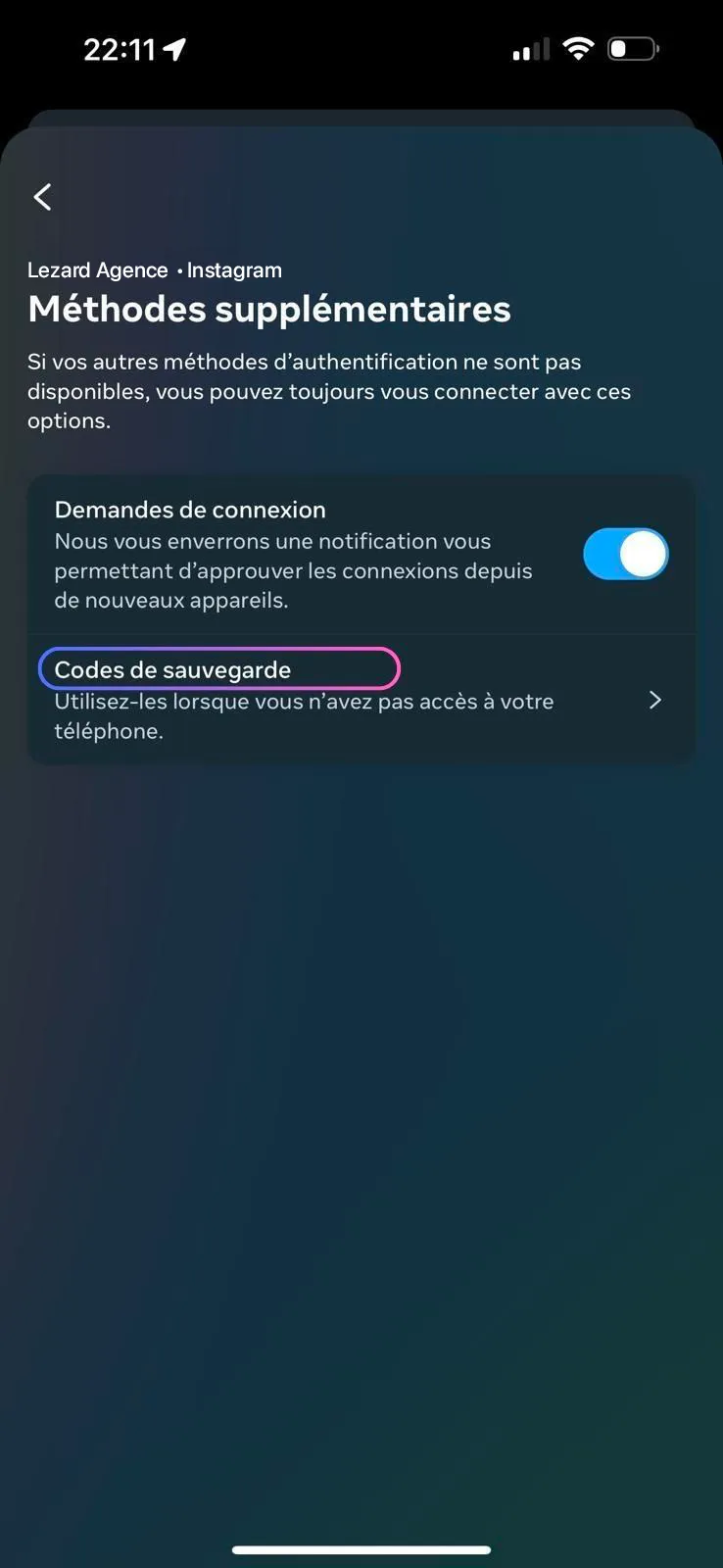
Step 8 : Access Backup Codes
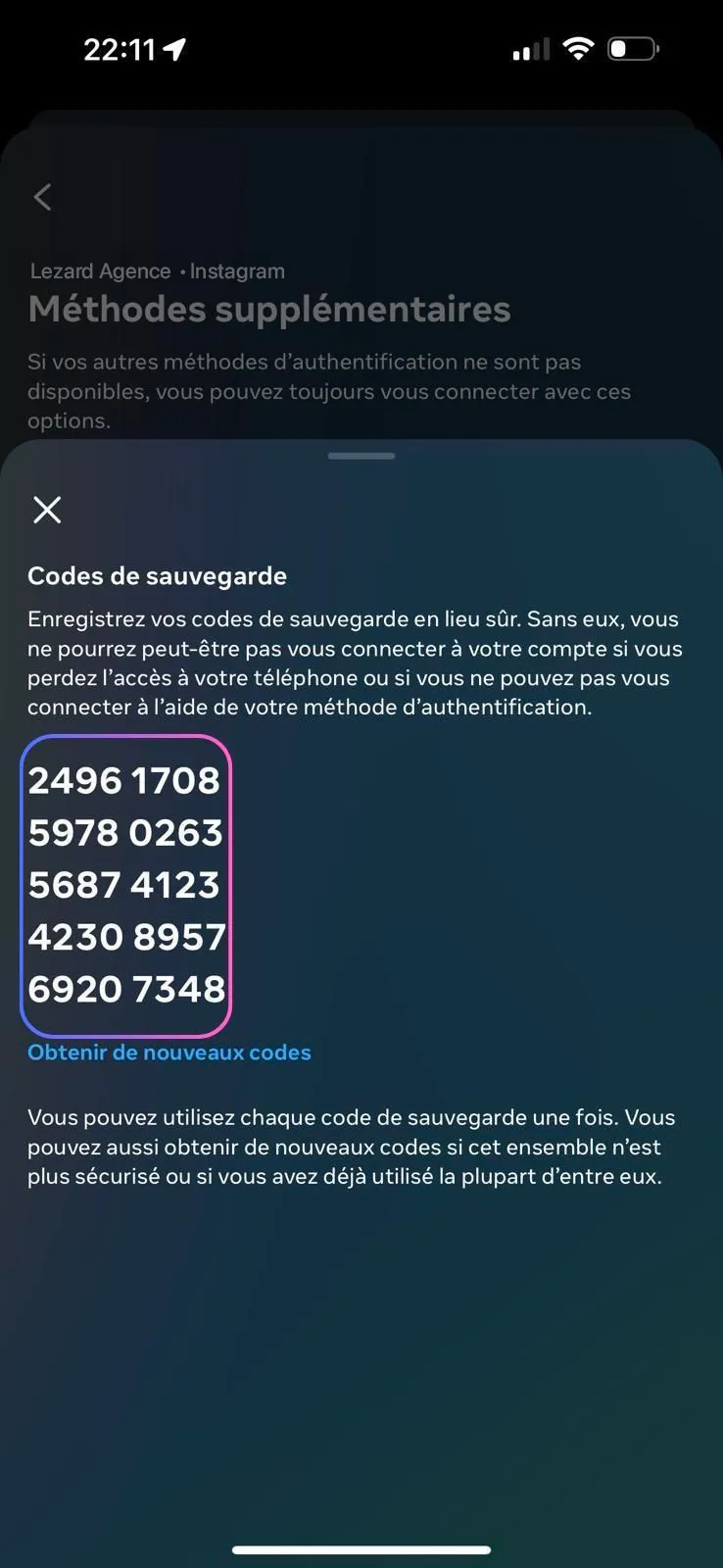
Click on "Backup Codes" to generate and display your recovery codes.
Step 9 : Copy and Transmit Your Codes
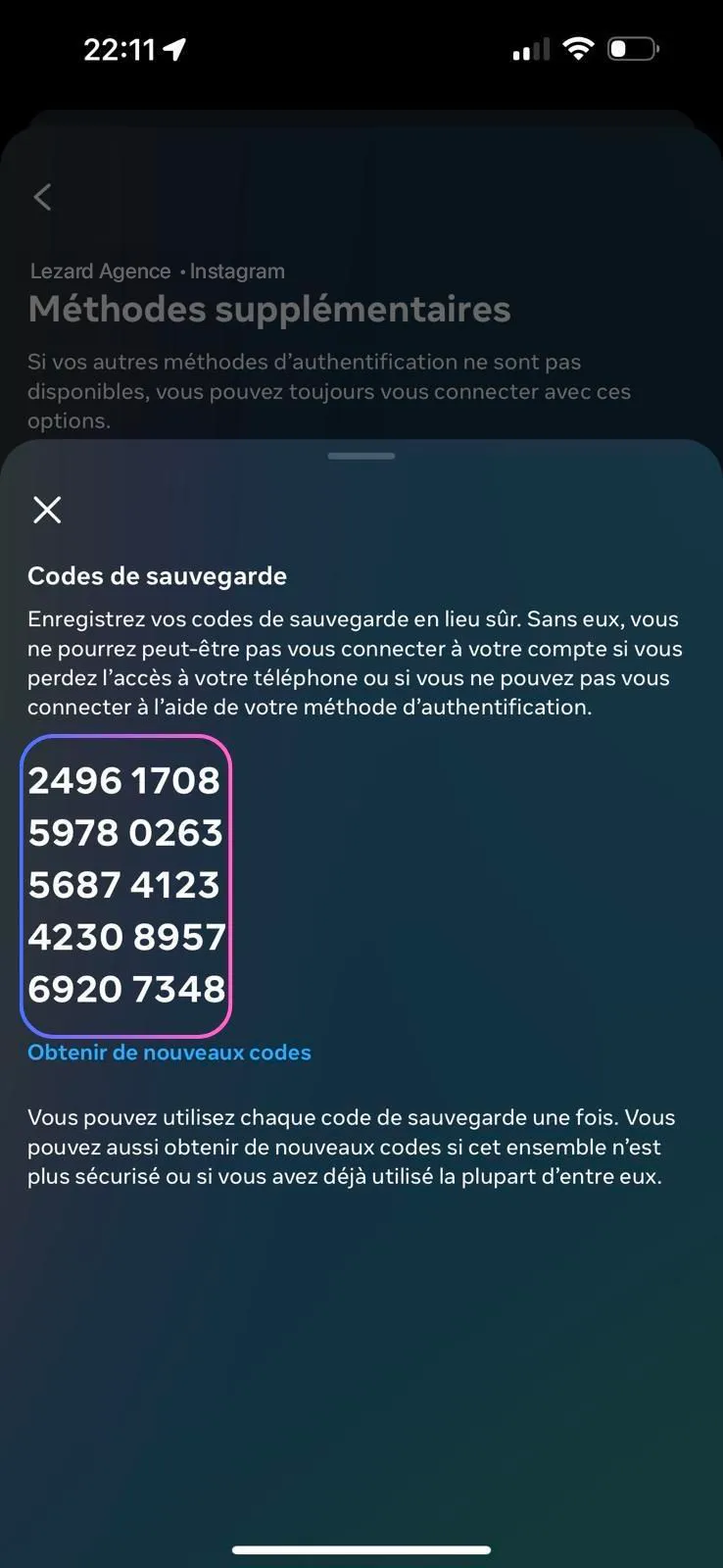
Instagram now displays your list of recovery codes.
Actions to perform:
- •Take a screenshot of all your backup codes
- •Transmit these codes or directly the photo to the Instagram account connection dashboard on our Lezard Agency platform
Our technical team will then integrate them into your Instagram automation setup.
Need help?
If you encounter difficulties obtaining your recovery codes, our Lezard Agency team is available to assist you:
📧 admin@lezard-agency.com
Summary of Steps
Estimated time: 5 minutes